Technology explained at a pace that suits you

Digital Klar is a magazine for readers aged 45 to 75 who want to understand the devices and services they already use. No rush, no jargon, no assumption that you grew up with any of it.

Digital Klar: intro focus

Each guide starts where the confusion usually starts: a settings screen with unfamiliar names, a message that looks slightly off, a laptop that asks for something before it will work. We walk through the steps in order, say which menu you are looking for, and mention how to reverse a change if it does not help.

The magazine covers six areas: smartphones and apps, computers, the internet, artificial intelligence, online security and everyday digital tips. Some pieces are short explanations. Others are illustrated tutorials you can follow with the device in front of you, pausing whenever you like.

We do not sell devices, run accounts or promise live support. What we publish is written material you can read at your own speed and return to later.

New to the magazine? Start with who writes Digital Klar or browse the help pages for orientation.

One question is enough to start

If a menu, a setting or a warning message on your phone or laptop has been puzzling you, you do not have to work it out alone. The editorial team reads questions from readers and uses them to decide which guides to write next. Nothing is sold here and no account is needed. You send a short description of what you want explained, and it is stored for the editors at Friedrichstraße 68 in Berlin.

The contact page holds a short form: your first name, an email address, the topic area, your question and a separate consent box. That is the only place on this site where a message is saved for the site owner. If you would rather read first, the services overview shows how the magazine is organised, and the company page explains who writes it.

Open the contact form
Digital Klar: cta

What Digital Klar covers, and where to start

Six editorial desks, one plain-language approach. Each area collects guides, illustrated tutorials and beginner lessons written for readers between 45 and 75 who want to understand a device or a service without being talked down to. Pick the desk that matches your question; every article names the settings involved and shows how to undo a change.

Smartphone & Apps

Digital Klar: service list

Display size, brightness, notifications, installing and removing apps, and the settings that decide how a phone behaves day to day. Useful when a screen is hard to read or an app keeps interrupting.

See the smartphone guides

Computer

Digital Klar: service list

First-day setup, system updates, user accounts, folder structure and the everyday maintenance a laptop quietly needs. Written for people who use a computer for documents, photos and email rather than for work in IT.

Browse computer basics

Internet

Digital Klar: service list

Home Wi-Fi, search technique, online forms, video calls and the small wording tricks that turn a confusing search into a usable answer. Also covers how to tell an official page from a copy of it.

Read the internet section

Artificial Intelligence

Digital Klar: service list

What chat assistants actually do with a question, why they sometimes invent details, and which tasks suit them. No technical background assumed, and no claim that an answer is correct just because it sounds confident.

Understand AI assistants

Online Security

Digital Klar: service list

Spotting a fake message before clicking, passwords you can actually remember, two-step verification and what to do after a service reports a breach. Practical checklists rather than scare stories.

Open the security guides

Everyday Digital Tips

Digital Klar: service list

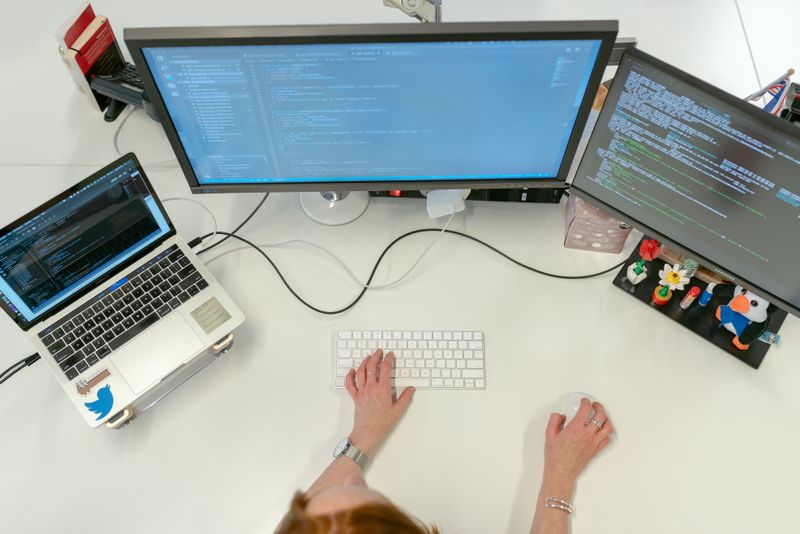
Desk setup, screen height, lighting, cable tidying and short routines that make daily computer use calmer. Small adjustments, described in the order you would actually make them.

Find everyday tips

Not sure which desk fits your question? The contact page has a short form that saves your message for the editorial team, and about Digital Klar explains how the magazine works.

Why readers stay with Digital Klar

Plenty of pages explain a setting in three lines and leave you guessing what happens next. We work the other way round: one topic at a time, the actual menu names, and a note on how to reverse the change if it does not suit you. No account, no device shop, no pressure to keep up.

Written for one reader, not a crowd Our articles assume you are 45 or older and have better things to do than decode abbreviations. Where a term is unavoidable, the sentence around it carries the meaning.
Steps you can follow at your own speed A guide names the screen, the button and the order of taps. You can stop halfway, close the laptop and pick it up again the next morning without losing the thread.
Honest about what a tool cannot do When a chatbot sounds certain but is guessing, we say so. When a security setting only covers part of the risk, that limit is part of the article, not a footnote.
Editorial work, not a sales channel We do not sell phones, laptops or subscriptions, and we do not run user accounts. The magazine exists to explain, and the contact page is where a question reaches the editorial desk.

Curious who puts the guides together and how topics are chosen? Read more about the magazine, or see the full list of editorial sections.